Google Meet no longer has one AI note-taking workflow. It has four.
Google can write notes inside Meet. A bot can join as a participant. A Chrome extension can transcribe the tab. A desktop app can capture microphone and system audio without touching the meeting roster.
That choice matters more than another checklist of AI features. It decides whether the tool can attend without you, whether guests see a bot, where the meeting record lives, and whether the same setup works outside Google Meet.
I rechecked the current product docs, pricing, capture modes, and privacy pages for eight serious options. The old bot-versus-no-bot split is already outdated: Fireflies, tl;dv, Otter, and Krisp now offer more than one capture path.
The short answer
- Use Google's Take notes for me when your Workspace plan includes it and a Google Doc is the desired final record.
- Use Anarlog when you want local SQLite storage, bot-free capture, and control over the transcription and language models.
- Use Fireflies when CRM automation and cross-meeting analysis matter more than keeping data local.
- Use tl;dv when you need video, clips, sales coaching, or a choice between bot and desktop capture.
- Use Tactiq when you want a fast, text-only Chrome workflow with no bot and no audio recording.
- Use Krisp when noise cancellation and meeting notes need to share one desktop audio layer.
- Use Otter when your team already works in Otter and wants both bot and bot-free capture.
- Use Sembly when meetings need to become project plans, requirements, and other structured deliverables.
Google Meet AI note takers compared
| Tool | Google Meet capture | Meeting record | Best fit | Free entry point |
|---|---|---|---|---|
| Google Take notes for me | Native Meet feature | Google Doc in Drive | Workspace-native notes | Included on eligible Workspace and Google AI plans |
| Anarlog | Desktop microphone + system audio, no bot | Local SQLite + local files | Local control and flexible AI | Free with local models or your own keys |
| Fireflies | Bot or Chrome extension | Vendor cloud workspace | Automation and conversation intelligence | Free plan |
| tl;dv | Bot or desktop device capture | Vendor cloud workspace | Video, clips, sales workflows | Free plan |
| Tactiq | Chrome extension, no bot | Text transcript in Tactiq | Lightweight live transcription | 10 transcripts/month |
| Krisp | Desktop audio layer, optional bot | Krisp workspace | Noise cancellation + notes | 7-day trial |
| Otter | Bot, desktop, or Chrome | Otter workspace | Familiar collaborative transcripts | 300 minutes/month |
| Sembly | Bot for live Meet calls | Sembly workspace | AI documents and meeting analysis | Free trial |
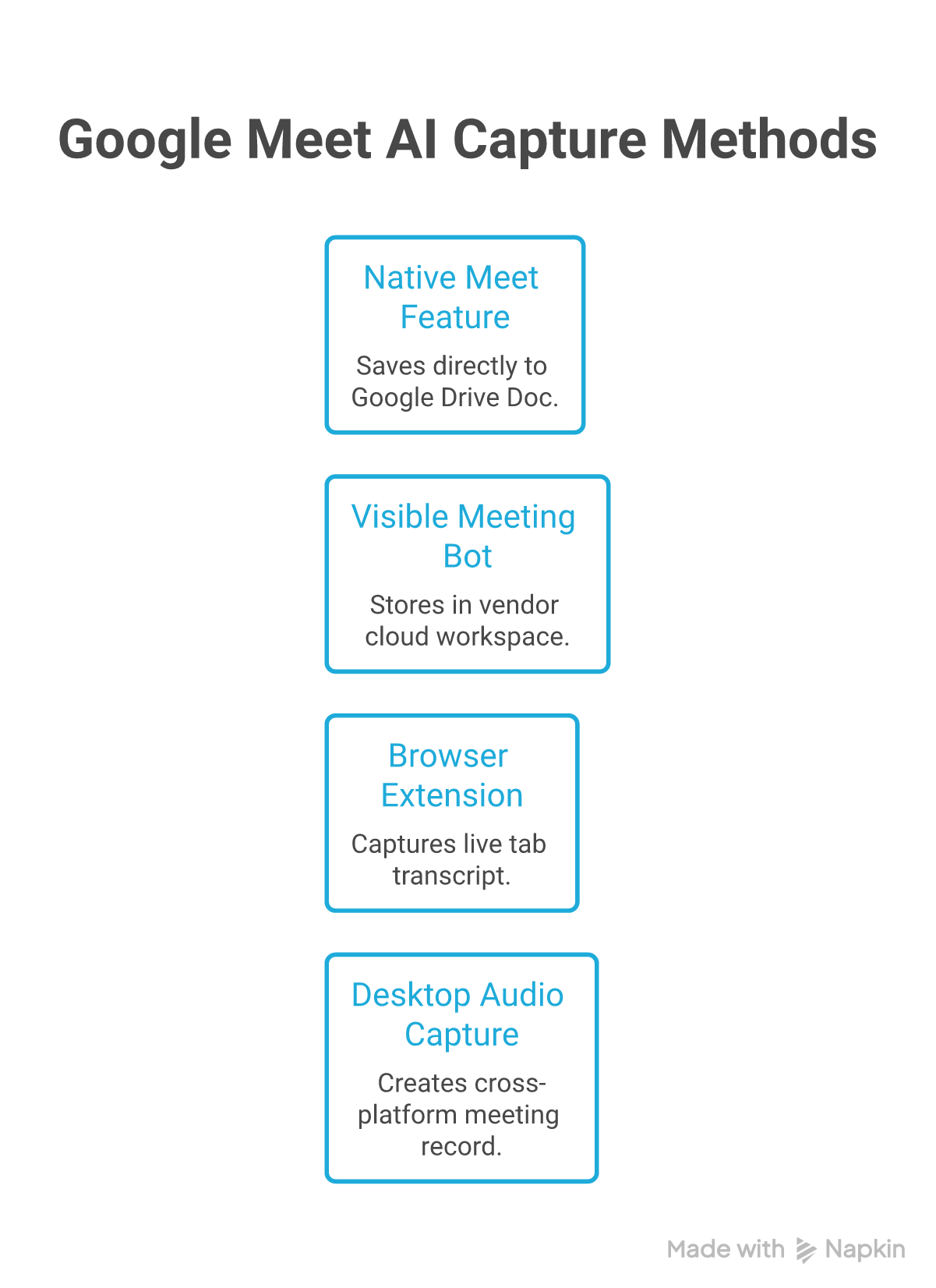
Capture architecture decides who runs the recorder, whether it can attend alone, and where the meeting record lands.
1. Google Take notes for me: best native option
Google's own Take notes for me is now the cleanest default for eligible Workspace users. It runs inside Meet, creates a structured Google Doc, saves that document to Drive, and attaches it to the Calendar event. There is no third-party bot to admit.
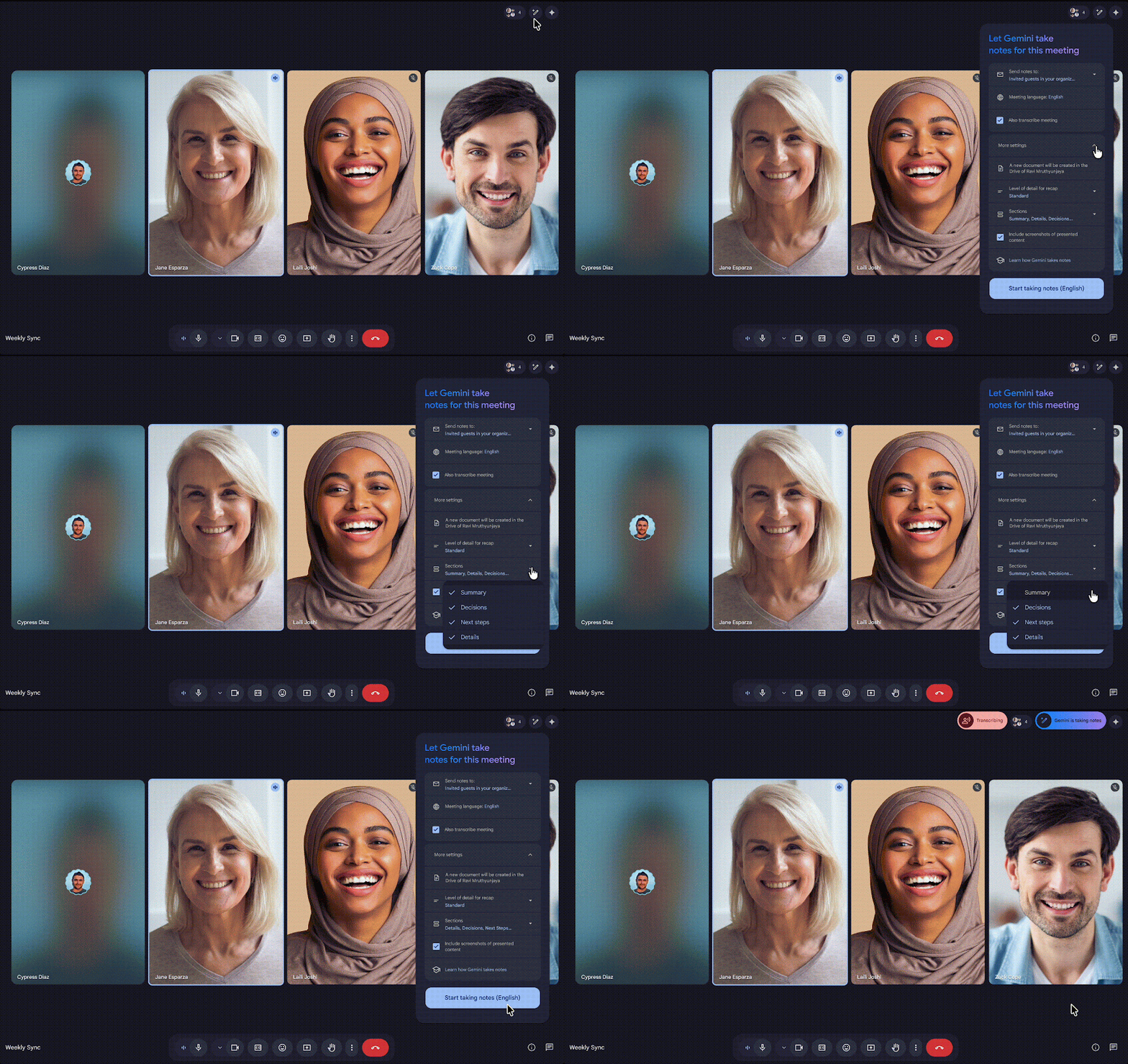
Google's current Meet UI exposes notes, recording, and transcripts as separate meeting records. Source: Google Meet Help.
Hosts can choose who receives the notes and request a longer format. They can also include screenshots of shared content or use an admin-controlled explicit-consent flow. Late joiners can request a summary so far.
The constraint is the ecosystem. The output is a Google Doc governed by Drive sharing and Meet retention settings. Audio must use one of eight supported languages at a time, and eligibility depends on specific Workspace editions or Google AI Pro/Ultra. If that is already how your company works, the integration is hard to beat. If you want a portable local meeting archive, it is the wrong architecture.
Pricing: Included with eligible Business Standard, Business Plus, Enterprise Standard, Enterprise Plus, Frontline Plus, Google AI Pro, and Google AI Ultra plans. Google's plan table is the reliable place to check eligibility.
2. Anarlog: best for local control
Anarlog captures microphone and system audio on your computer. It does not join Google Meet or need Calendar access to record, and it keeps canonical notes, transcripts, and meeting metadata in local SQLite.
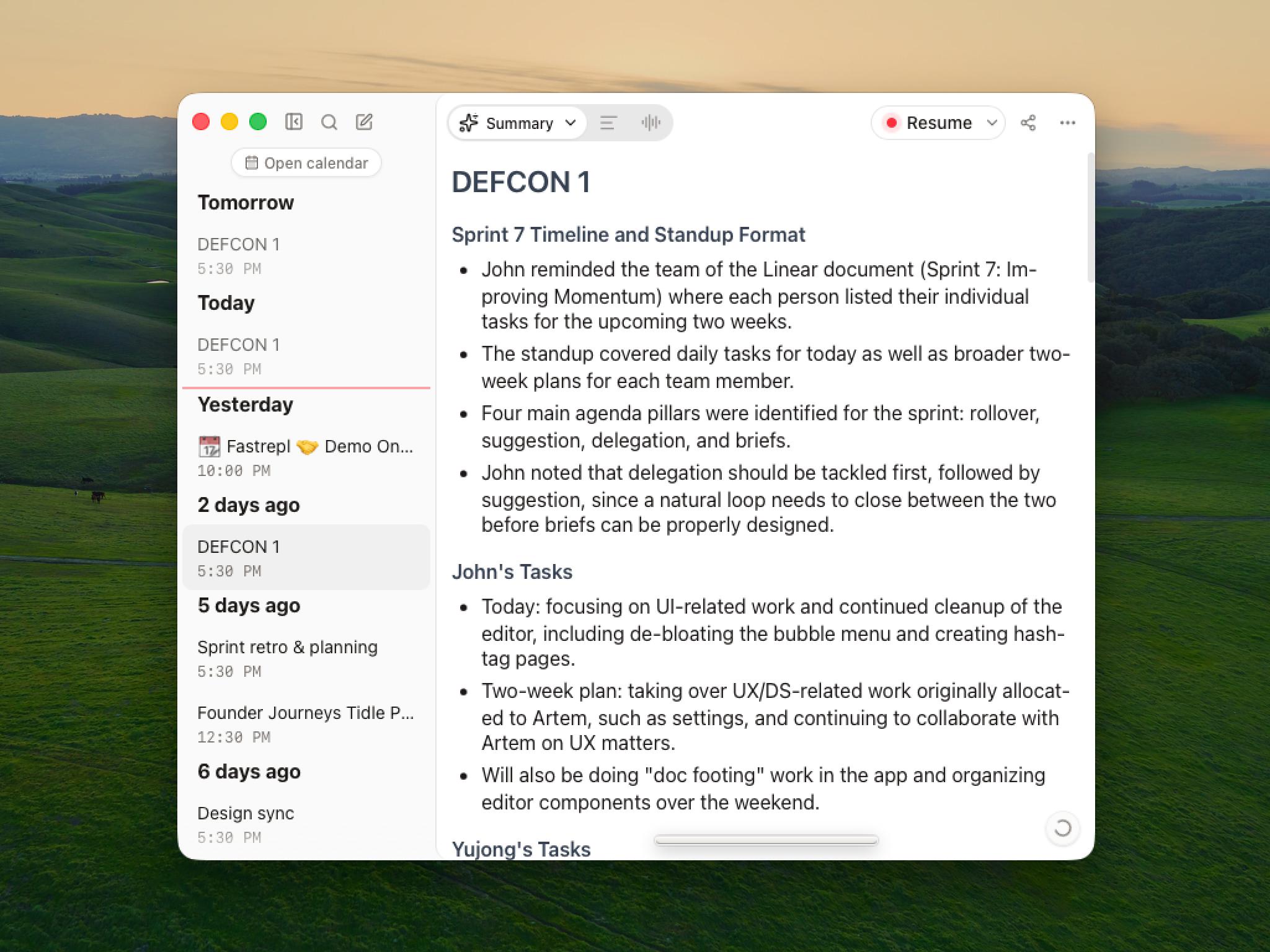
The difference runs deeper than "bot-free". Tactiq, Krisp, Otter, Fireflies, and tl;dv all have a bot-free path now. Anarlog's sharper advantage is control over the full stack: local data, local or cloud transcription, your choice of language model, portable exports, and an MIT-licensed desktop client your team can audit.
That control adds decisions. The free path works best for people comfortable choosing local models or adding their own API keys. The managed Pro path removes most of that setup, but hosted transcription and AI still create explicit cloud data paths. Only the local-only configuration keeps the full workflow on the device.
macOS is the mature build. Windows and Linux builds are available in beta. Anarlog records Google Meet, Zoom, Teams, phone calls, and in-person conversations through the same desktop workflow, but it does not record meeting video.
Pricing: Free with on-device models or your own API keys. Pro is $15/month or $150/year and adds managed transcription, managed AI, encrypted CloudSync, sharing, and integrations. See the current Anarlog pricing page.
3. Fireflies: best for automation and conversation intelligence
Fireflies is no longer bot-only. You can still invite Fred or let it auto-join Calendar events, but its Chrome extension can also capture Google Meet without adding a participant.
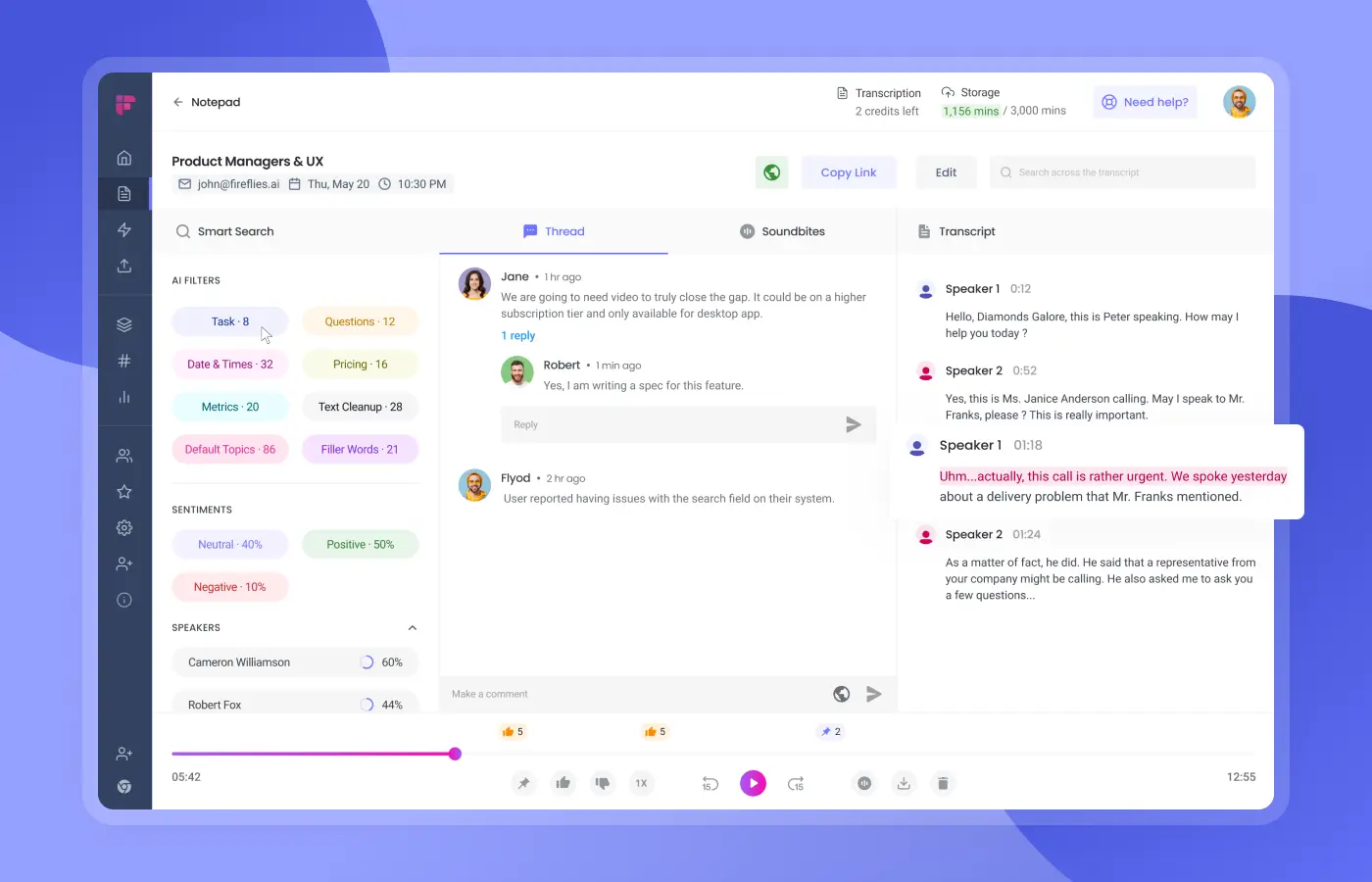
Fireflies organizes playback, transcript, summary, and integrations in one cloud workspace. Source: Fireflies.
Choose Fireflies when the transcript is an input to a larger workflow. AskFred searches meetings, AI Skills extract structured details, and paid plans add integrations, analytics, CRM workflows, and admin controls. The company currently advertises more than 100 transcription languages and multi-language mode on Business and Enterprise.
The tradeoff is a vendor-hosted meeting workspace. Fireflies publishes SOC 2 Type II, GDPR, and HIPAA claims, plus custom retention and private storage on Enterprise. Those controls can fit a managed team deployment. They are not the same as keeping the canonical meeting database on your computer.
Pricing: Free includes unlimited transcription and AI summaries with storage and credit limits. Pro is $10/seat/month billed annually, Business is $19, and Enterprise is $39. Check Fireflies pricing because the page also displays higher month-to-month list prices.
4. tl;dv: best for video and sales workflows
tl;dv gives Google Meet users two distinct capture modes. Its Chrome extension can send a bot that records audio and video, while the desktop app captures device audio without adding a bot. The bot-free mode does not include video recording.
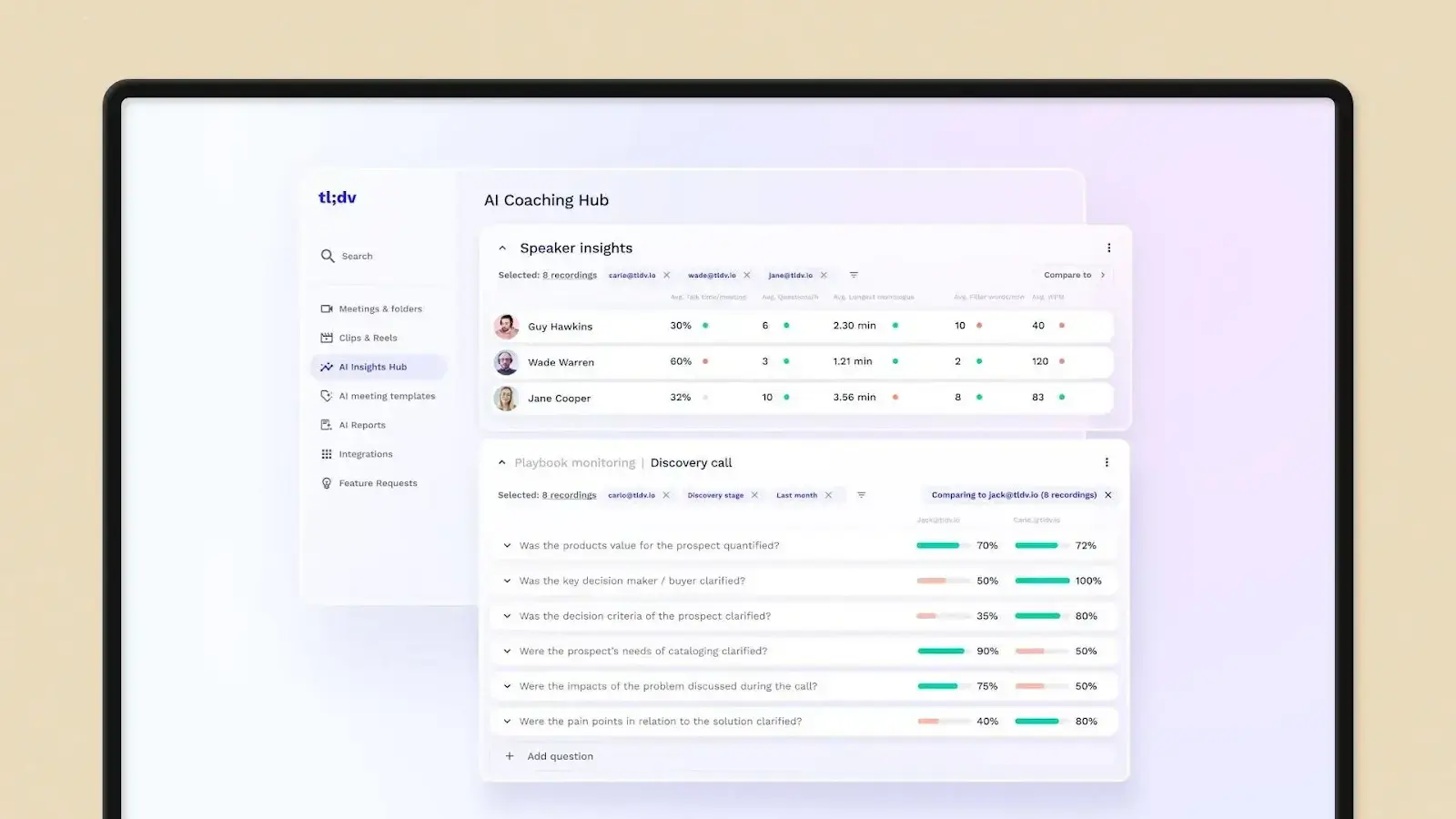
tl;dv combines recordings with speaker analytics, coaching, and meeting playback. Source: tl;dv for Google Meet.
Choose tl;dv when a sales or customer team will use the recording after the recap. Paid plans add unlimited AI notes, multi-meeting analysis, scheduled reports, playbook monitoring, objection handling, and CRM automation. Pro also exposes an API, webhooks, and an MCP server.
Its free tier is unusually usable: unlimited recordings and transcription, with limits on AI notes and Ask AI. The harder choice is operational. Bot capture gives you video and unattended attendance; desktop capture removes the participant but depends on the user's device and loses video.
Pricing: Free plan available. Pro is $29/seat/month monthly, with lower annual pricing. Business is $39/seat/month monthly. See tl;dv pricing for local currency and billing-cycle totals.
5. Tactiq: best lightweight Chrome extension
Tactiq is the least invasive option in this list if you live in Chrome and only need text. The extension opens a widget beside Google Meet and transcribes in real time without adding a participant. Current Tactiq documentation says you do not need to enable Meet captions first.
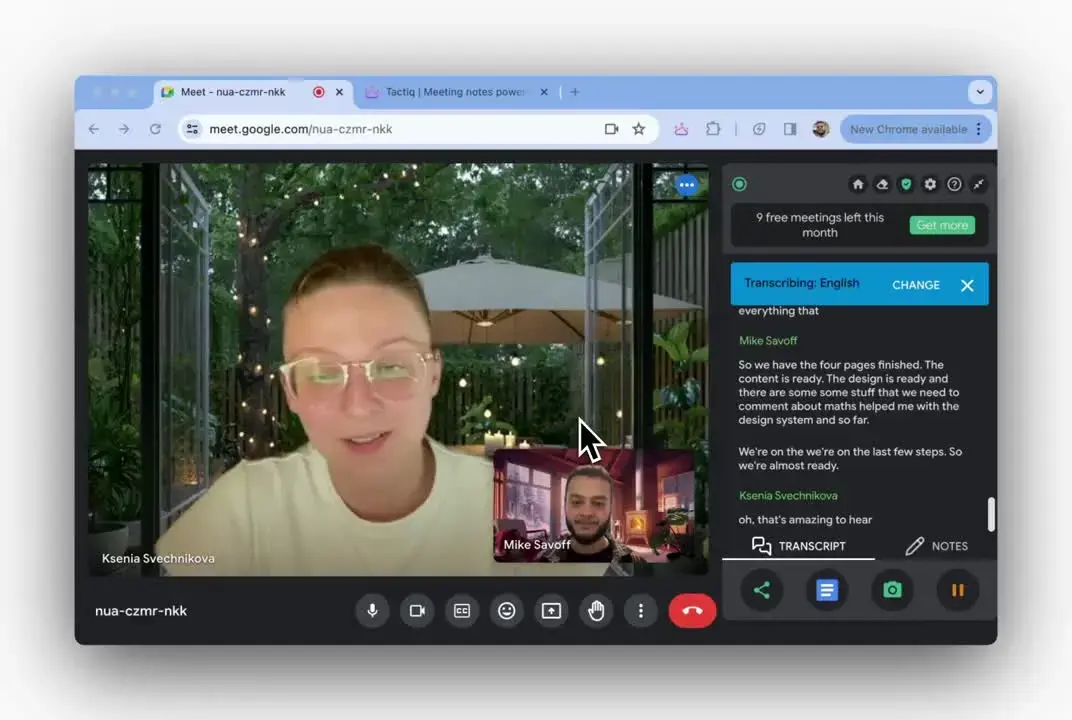
Tactiq keeps the transcript visible beside the call without adding a bot. Source: Tactiq Google Meet guide.
Tactiq's documentation says it does not record or store meeting audio. That reduces the data footprint and means there is no playback to revisit later. That trade works when the live transcript, summary, and workflow actions are the product you want.
The language story needs careful wording. Tactiq markets 60+ languages, while its help center says support varies by meeting platform and only one selected language is transcribed at a time. Google Meet has the broadest enumerated list.
Pricing: Free includes 10 transcripts and 5 AI credits per month. Pro is $8/user/month billed annually, Team is $16.67, and Business is $29.17. See Tactiq pricing.
6. Krisp: best when audio quality matters too
Krisp sits at the desktop audio layer. Select Krisp as the microphone and speaker in Google Meet, then enable its note taker. The same layer can remove noise and echoes while it transcribes. Krisp also offers optional bot capture when automated participation is more useful.
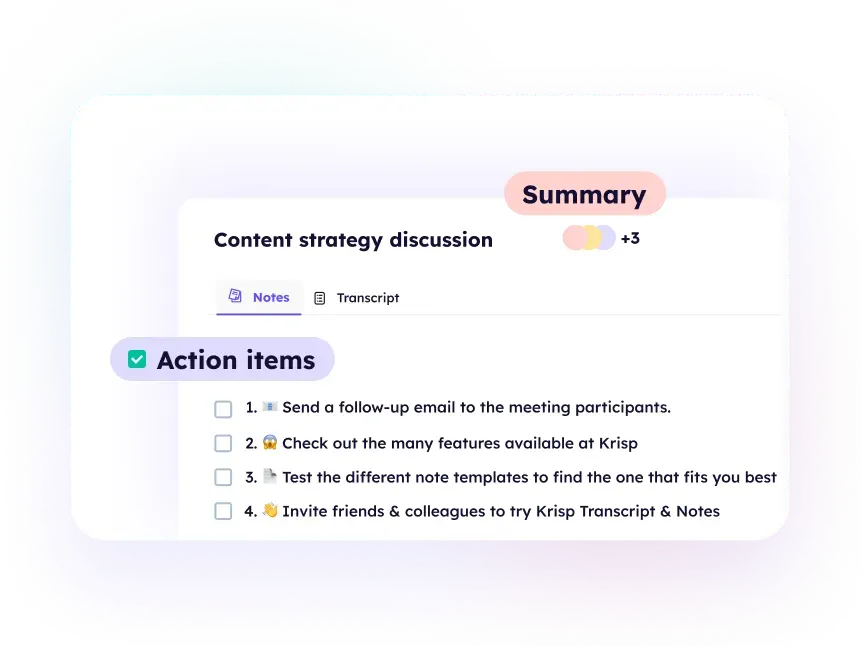
Krisp combines meeting notes with its audio-processing workflow. Source: Krisp for Google Meet.
Krisp can transcribe only or transcribe and record audio/video. Its current documentation lists English on-device transcription plus 15 server-based languages. Summaries use Microsoft Azure services, and the standard meeting workspace is cloud-backed. Krisp's documentation lists fully private on-device transcription and recording as Enterprise features, not defaults for every plan.
That makes Krisp a strong fit for people who already need its audio cleanup. If you do not, Tactiq is lighter and Anarlog gives you more control over storage and models.
Pricing: Seven-day free trial. Core is $16/user/month monthly or $8 billed annually and includes unlimited transcription, noise cancellation, and recording. See Krisp pricing.
7. Otter: best familiar team workspace
Otter now offers both visible and bot-free Google Meet workflows. You can send AI Notetaker as a normal participant, record from the Chrome extension, or use the desktop app to capture on your device.
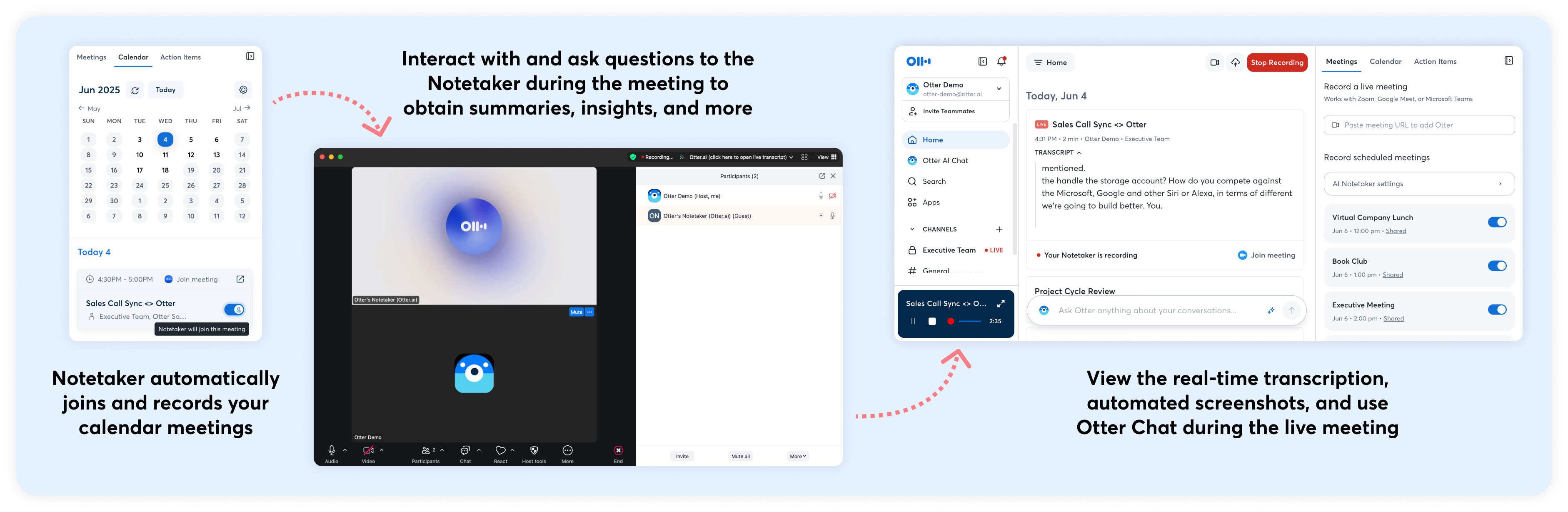
Otter supports scheduled AI Notetaker attendance as well as device capture. Source: Otter Google Meet guide.
Otter remains strong at the collaborative transcript: live text, summaries, action items, AI Chat, imports, and integrations around a shared workspace. Its dedicated language help page currently lists English, Spanish, French, German, Japanese, and Simplified Chinese.
The privacy model is cloud-first. Otter states that it de-identifies user data before model training, encrypts stored data, and maintains SOC 2 Type 2, GDPR, CCPA, and HIPAA controls. Teams comparing it with a local-first product should read the privacy and security page, not infer policy from the fact that bot-free recording happens on a device.
Pricing: Free includes 300 transcription minutes per user each month. Business starts at $19.99/user/month; Enterprise is custom. Current limits vary by plan on Otter pricing.
8. Sembly: best for structured deliverables
Sembly sends an agent into live Google Meet calls. It can join even when you are absent, transcribe the meeting, extract decisions and tasks, and turn the conversation into documents such as project plans or requirements.
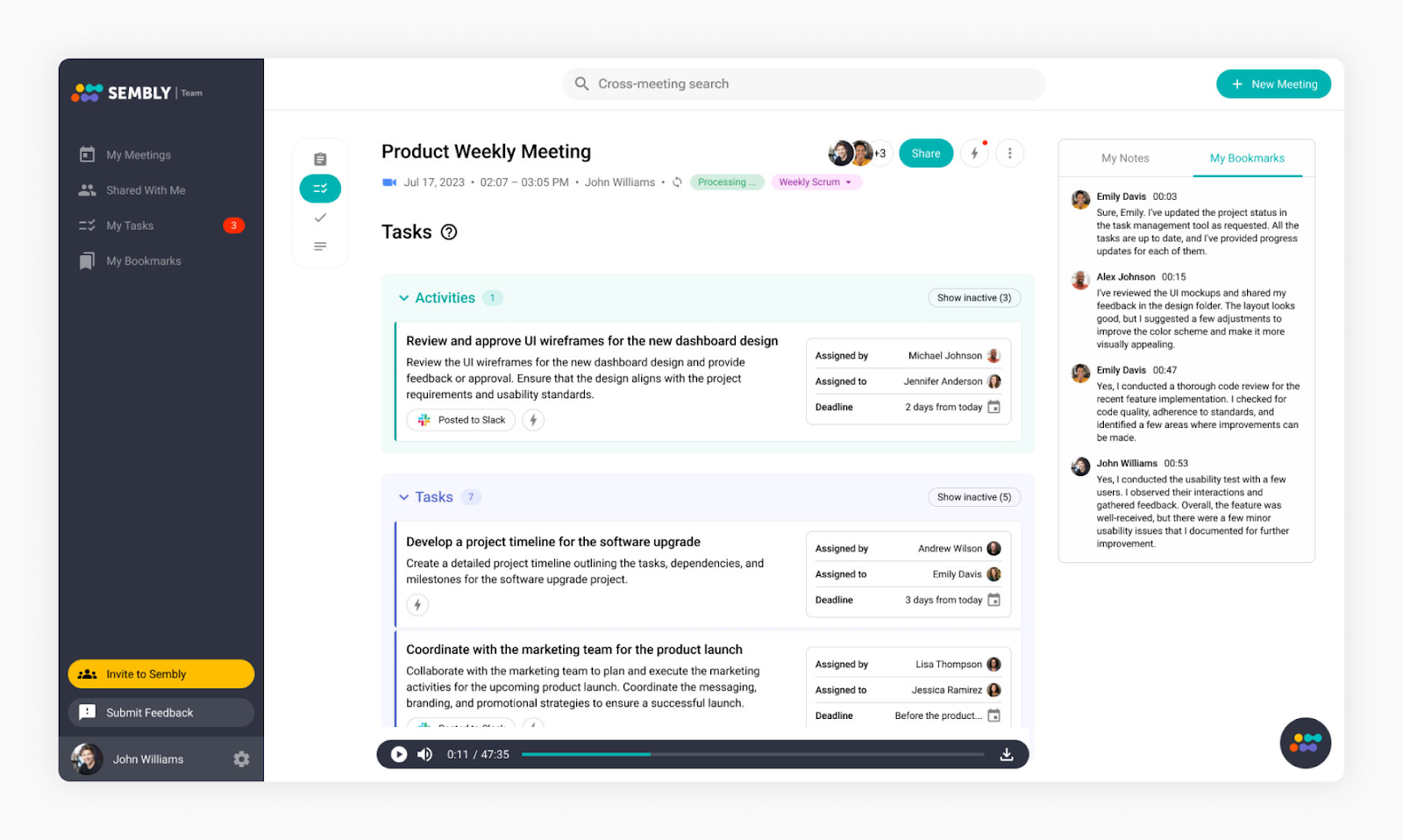
Sembly organizes the transcript around tasks, decisions, and structured meeting notes. Source: Sembly.
This is the narrowest capture choice in the group. Sembly supports microphone recording and file uploads for offline or in-person use, but its documented live Google Meet workflow uses a visible participant. That is useful when the agent must attend without you and awkward when guests do not want another participant.
Sembly lists 48 transcription languages and integrations across project management, CRM, storage, and collaboration tools. Higher plans add multi-meeting chat, AI documents, consent tracking, retention controls, SSO, audit logs, and HIPAA support.
Pricing: Basic is $10/month billed annually, Pro is $20, and Max is $30. Monthly billing is higher. See Sembly pricing.
How to choose by capture path
Native Google Meet
Google's feature fits meetings that already belong in Workspace and need a Drive document as the long-term record. You get the least setup and the tightest Calendar integration, but almost no control over the processing stack.
Visible meeting bot
A visible bot earns its place when unattended attendance, video recording, or consistent server-side capture matters. Fireflies, tl;dv, Otter, and Sembly can cover meetings even when your laptop is not doing the recording. Guests will see the participant, and admins may block or scrutinize it.
Browser extension
Tactiq, Fireflies, and Otter offer a fast Google Meet-specific workflow without a visible participant. Browser capture is convenient, but it ties the workflow to a supported browser and can offer less control than a native desktop app.
Desktop audio capture
The desktop path is broader. Anarlog, Krisp, tl;dv, and Otter can use the same recorder across Meet, Zoom, Teams, phone calls, and in-person conversations. The app must run on the user's computer, but the meeting platform does not need to cooperate.
My take
Google's native notes are better than they were six months ago. For a company already standardized on Workspace, they may be enough.
But "works with Google Meet" is no longer a useful differentiator. Almost every serious tool does. The real choice is who controls capture, where the canonical record lives, and whether you can change the AI stack later.
I would pick Google for the cleanest Workspace workflow, Tactiq for lightweight browser transcription, Fireflies or tl;dv for managed automation, and Anarlog when ownership matters more than convenience.
Frequently asked questions
Can Google Meet take AI notes without another app?
Yes. Take notes for me runs inside Google Meet on eligible Workspace and Google AI plans. It creates a notes document in Google Drive and attaches it to the Calendar event.
Which Google Meet note takers do not add a bot?
Google's native feature, Anarlog, Tactiq, Krisp, and the bot-free modes in Fireflies, tl;dv, and Otter can capture without adding a participant. The mechanics differ: native Meet processing, browser extension, or desktop audio capture.
Does bot-free mean the meeting stays on my device?
No. Bot-free describes capture, not storage or AI processing. A browser extension or desktop app can still upload audio, transcripts, or notes to a vendor cloud. Check the data path separately.
Which option keeps meeting data local?
Anarlog keeps its canonical meeting database in local SQLite. A fully local setup can use on-device transcription and a local language model. Hosted transcription, hosted AI, encrypted CloudSync, and sharing are optional cloud paths, so the exact configuration still matters.
Should I tell participants that AI notes are running?
Yes. A hidden participant is still recording or transcription. Google Workspace admins can require explicit consent for Google's native feature, but every tool and jurisdiction has different requirements. Make disclosure part of the meeting workflow rather than relying on whether a bot is visible.